My First School Server Deployment

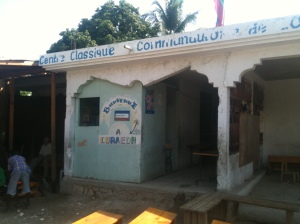
IMG_2327Silar’s orphanage in Port Au Prince, Haiti, usually has power once a day, often in the time between 12pm to 6 or 7am. In this context, it seemed necessary to have some sort of battery system, for the server, and for charging the 20 XO laptops in the middle of the day. So AC power issues turned out to be a gating issue during this trip to Haiti, just as it was last time I was here.
IMG_2330

Adam and I had a budget of about $500 to buy batteries, inverter, and battery charger. We had to find out what was available in the local stores. It turned out that the total cost turned out to be closer to $600.

The inverter shown below was mounted on the left hand wall, but in not shown well in the picture of the batteries.

IMG_2324

The electrical wiring for Silar’s orphanage, worked, but didn’t appear very safe. Bare stranded wire was inserted in unmounted electrical receptacles to power a small radio, because the plug was missing.

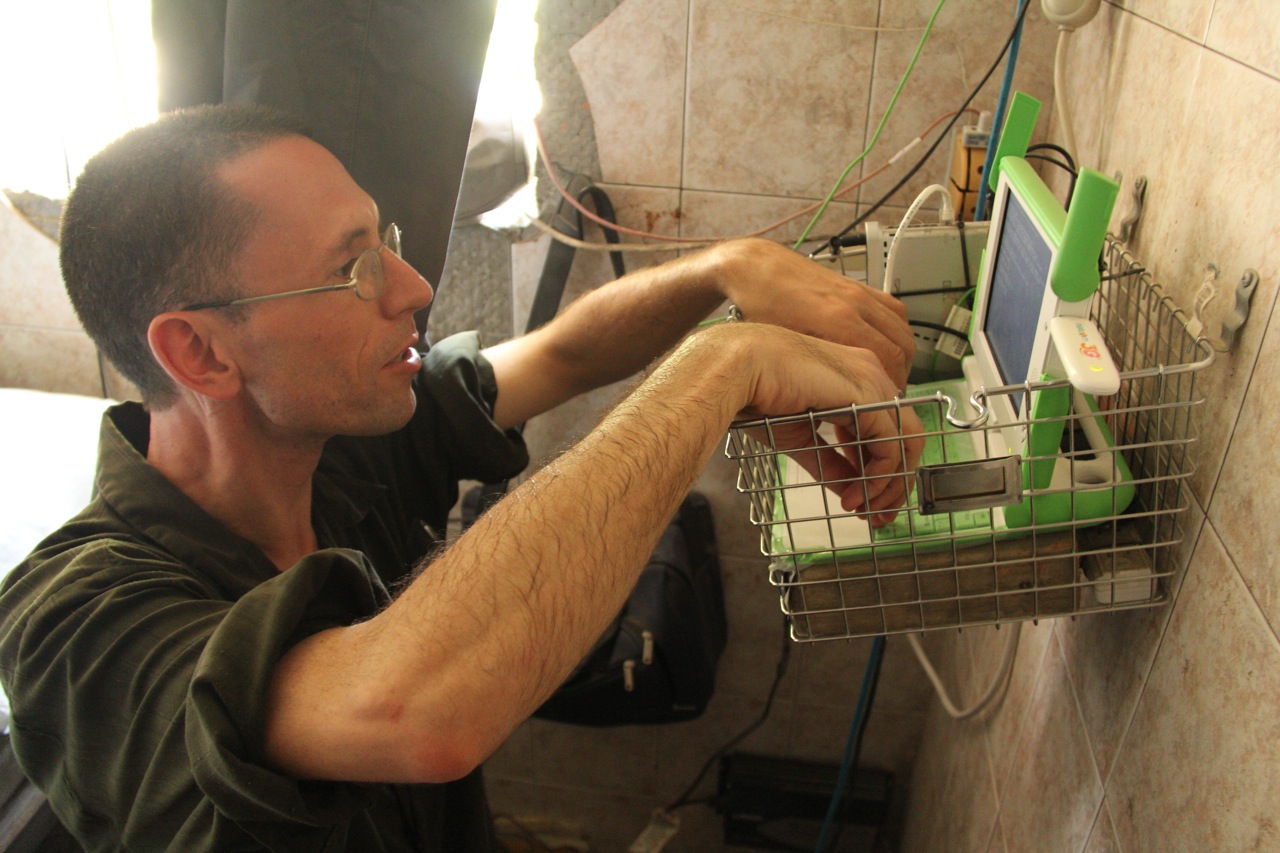
So I made some effort to make everything a little safer, by installing outlets in electrical boxes, and adding a changeover switch, for the weekly use of the generator during the church service on Sunday (upper right behind wire basket).

Note 3G modem top right

Note 3G modem top right

The SchoolServer installation was mounted right above the battery array, in a wire basket I had brought with me when I thought it would include an external USB disk. (hard disks don’t like being dangled from USB cable).

It turned out that the hard disk I had with me, occasionally would flip into read only mode, and could only be restored for log files, etc, by doing a reboot.  Since reliability was a major objective, Adam and I decided to use an SD card as hard disk instead, and the wire basked might have been overkill.  But it nicely contains the access point, power strip, and XO as a single package that can be taken off the wall, and manipulated as a single unit. (nylon ties hold everything in place)

It’s been 5 days since the school server was installed. The 3G modem, and the openvnp connection appear to have been functioning about 50 hours, or averaging 10 hours per day. I’ve been tweaking the scripts to maximize uptime, but I still have not found a way to simulate physical removal of the USB stick. (I’m handicapped by the fact that the school server does not appear to reboot reliably).

Posted in Uncategorized | 1 Comment

End of a wonderful week of geeking

Jerry Vonau and I accomplished a lot during this last week.  For me the high point was getting all the remote administration, client/server stuff stitched together. It was also really rewarding, when the software that we’ve been writing pretty much worked on the XO-1.5, even though it had been tested and developed on the XO-1.75.

When installing on the XO-1.5, we ran into a blocker situation. After the install, everything worked.  Then we did a reboot, and neither of the network adapters was configured correctly! The “work around” is to remove the lan USB adapter, during the reboot, and to reinsert it after the XO finishes the reboot.  The problem can be fixed. But it may require reworking the kernel, and/or initramrd.  Neither Jerry or I had enough experience to tackle the problem during this week.

For additional information see the wiki at http://wiki.laptop.org/go/User:Holt/XS_Community_Edition/Install_Recipe

Posted in Uncategorized | 1 Comment

XS Community Edition at a Critical Crossroad

My strengths and weaknesses are now apparent in what we have been calling the School Server — Community Edition.  Let me explain:

I’m pretty good at picking targets that are strategic, and starting to explore the paths that might lead towards that destination. I can write quick and dirty code  to learn how stuff works.

I’m not very good at finishing the job, starting over when necessary, in order to end up with clean, well structured, tested, software. And I tend to end up with a huge number of unfinished projects, waiting to be incorporated in the final product.

A good example of this would be the Server Sleep program I wrote.  It’s a python GTK-GUI interface to turn the School Server off on nights and weekends in order to conserve power when running off of solar power. I need a partner to help me test and finish the job.

My partnership with Jerry Vonau is a success story.  I started with the idea that the monolithic setup script, used in previous XS builds, needed to be pulled apart, at least conceptually, so that individual components could be selected independently.  His experience with packaging rpms, led him to make an additional segregation.  He separated the pieces that would be unique to the XS running on an XO into a separate rpm.

I’ve been working this last week on the GUI that I think is needed. The challenge has been to get the output from a php server side program, running as an unprivileged apache user,  initiated by an http client, to be visible to the remote desktop vnc client, so that the user can monitor the process and know when it is complete (not stalled). This is to enable a “headless install” (no keyboard, monitor, mouse on the server).

What’s up for next week, when Jerry and I both decend on Adam’s parents’ house west of Toronto?

  • Rework our git commits, preparing to add them to OLPC Boston repositories, evolving XS Community Edition towards XS-0.8.
  • Get all the XS-0.7 services running, and tested.
  • Remote configuration http client GUI, integrated into the setup process. Add in root password authentication, and an access cookie which expires at the end of the session.
  • Jerry and I should make more rigorous attempt to incorporate the ideas, from the different use cases discussed on the OLPC lists. If we do this successfully, we may be more able to incorporate additional programmer volunteers in our ongoing development process.
  • Make a first attempt to write a script to generate a USB stick for offline, and more automatic, server installs on an XO.
  • Automate the generation of XS-CE rpms for use on the XO-1.5.
  • If time permits, it would be great to get the sugardextrose webdav client talking to the XS webdav server (which is incorporated in our code, but not configured/tested).


Posted in Uncategorized | Leave a comment

Early testing Results for XS-ARM

Jerry Vonau, and I, worked on the new School Server software pretty steadily for a week. We ate and drank too much, got too little exercise, but had a fun week with Adam Holt, at his parents’ house, a few miles northwest of Toronto.

Anna Schoolfield, agreed to be our tester. Towards the middle of the week, we shipped off the first edition of our efforts.  It wasn’t a resounding success.  She had to deal with typos, and network configuration problems, and lots of things didn’t work.

Over the second weekend, we revised our strategy.  We both had places on the internet, where we had been sticking the software we developed. Both of these repositories were changing pretty rapidly, and depending on the moment, contained stuff that just didn’t work.  We decided to let Jerry’s repo be the “stable” repository, and mine, the one we called “testing”.  We’ll copy from mine to his once a week, after we’ve done a little testing ourselves.  The stable branch is at http://build.laptop.org.au/xs/XS-0.7+/repos/XS-F17ARM/SRPMS/.

Anna had better luck with our first release of the “stable” branch which occurred Sept 24 or so.  Her email had some great news:

Great progress!  My USB ethernet dongle “just works,” even when I boot up with it plugged in.  Registering an XO-1 “just works” and it puts schoolserver.local into the collaboration server field.

So I put up the instructions for loading XS-CE software on a XO-1.75 at http://schoolserver.wordpress.com/xs-installation/community-edition-xs-on-xo-1-75/.

Ejabberd still has problems starting because it’s trying to create a lock on a temporary file system directory which hasn’t been created yet.

Our thorniest problem right now seems to be moodle. We may be haveing a mismatch between postgresql version 8.4 (used in XS-0.7) and the Fecora 17 included postgresql 9.1. I am choosing to spend my time fixing up and enlarging the http GUI  rather than to dive into the moodle issue.

Posted in Uncategorized | 1 Comment

XS Progress Report

The fedora 17 XO software is now released.  I’m working on adding School Server functions on top of this base release for the XO-1.75. A 4 watt School Server is the target.

The OLPC-Australia design document mentions breaking apart the monolithic structure of the XS software platform; even to the point of having an XS per classroom, and running only a collaboration server on it.

I’ve been working for the last 2 months on a scheme to separate the setup functions for each installable package, and make them individually callable.  The paradigm for the interface is:

#!/bin/bash
# model for loading a module (in this case the apache web server)
source xs-setup-functions
do-first
httpd yes
do-last

Eventually this will need to be attached to a GUI, but for now this permits testing and the easy addition of new features.  The “xs-setup-functions” script looks for executables in a “functons” directory, where additional functions can be defined, or existing functions can be shadowed and redefined.

I’ve had the most fun using the web server to create a GUI interface for some of the useful information available on the command line of the School Server. In particular, I enjoyed figuring out how to get a javascript VNC client configured so that remote clients can get real time information about the progress of an installation without having to first install a vnc client.

So far, I’ve been able to install all of the XS services, and been able to verify the functions of dhcpd, named, httpd, vnc, postgresql.  I have not yet verified the function of ejabberd, moodle, activity-server, registration, or avahi.

I’m concerned about the time it takes to run the install process; at this point, using a fairly fast internet connection, it takes over 50 minutes to install all the services.  At this point I might be able to cut this in half.  I can put the repository packages on a USB key, and avoid the download latency. But maybe the solution is to use olpc-os-builder to create a snapshot that can be signed, and then loaded like a regular XO image.

The XO image, as recently released by OLPC Boston, is 1.65GB. The minimun XS install adds another 232MB. And a complete install of everything, similar to the monolithic XS-0.7 adds 644MB to the original 1650MB = 2.29GB.

Posted in Uncategorized | 1 Comment

Small Steps on Arm Rpms

I’ve recently been working on automating the RPM package generation for ARM processors.  The script takes as input the SOURCE packages for the School Server at http://fedora.laptop.org/xs/stable/olpc/xs-0.7/source/ and grinds out binary RPMs  on the local Trimslice ARM processor.

To my amazement, after the usual false starts, I launched the script, and 50 minutes later 18 of the 21 source packages came popping out as armv7hl binaries, or noarch script RPMs at the other end.  I giggle a little to realize that the first time I tried to do it, with all the learning curve, and tool setup, the same process took over a week.

The packages that didn’t compile were kernel, linux-firmware, and syck, which seemed like a manageable outcome. The scripts to accomplish it all turned out to be pretty simple:

#!/bin/bash
#script to process olpc soure rpms

WORK_DIR="/home/gh/xs_srpms"
SOURCE_URL="http://fedora.laptop.org/xs/stable/olpc/xs-0.7/source/"

mkdir -p $WORK_DIR
cd $WORK_DIR 
#if [1 -eq 1] ;then
    wget -r -l1 -nd -nH -o wget.log %s $SOURCE_URL
#fi

for name in `ls *.src.rpm | gawk 'FS = "-[0-9]" {print $1}'`
do
    mkdir -p $name
    mv $name* $name
    pushd $name
    rpm2cpio $name* | cpio -idm
    popd
done

#now compile all the stuff
rm -rf /home/gh/rpmbuild
rpmdev-setuptree
/home/gh/bin/compilexs > compile.log

The output from the compile script is sent to a log file:

#!/bin/bash
#script to compile packages
#filename: compilexs
#turn on line by line debug output
set -x

WORK_DIR="/home/gh/xs_srpms"
BUILDIR="/home/gh/rpmbuild"

cd $WORK_DIR 

for name in `ls -1 -I".*"` 
do
    pushd $name
    echo "operating on $name"
    cp * $BUILDIR/SOURCES
    rpmbuild -ba $name.spec
    popd
done
Posted in Uncategorized | 1 Comment

School Server Excitement

I participated in a 90 minute skype call with a group of people working in the OLPC Australia deployment; Srindhar Dhanapalan, Jerry Vonau, and Andrew van der Stock. I woke up early this morning, all excited, as I tried to process all the implications of our conversation.

Srindhar proposed a simplified, more focused, less complex vision for the XS. For him the essential service provided by the XS is ejabberd, and the collaboration facilitation it provides. He thinks that whatever is available on the XS must just work. The distances in Australia make it impossible for a sysadmin to visit each site and configure servers, networks, etc.

He proposed that the XS functions should just be selected by a set of check boxes available from the XO control panel.  I would prefer it to be just another Sugar activity, perhaps not initially visible, similar to terminal and the log reader Activities. But that’s really a implementation detail.

Configuration of the network can use Avahi/bonjour multicast DNS mechanisms and implement service discovery techniques.

The XS would then be a set of RPMs, available on the internet, which would be selected by the teacher using this graphical control panel or Sugar Activity.  If internet is not available, the XS RPMs, and indeed the whole RPM repository for the appropriate Fedora distribution, can be available on an 8 GB USB stick.

Should a school want to build up a heavy-duty high-power server, the appropriate Fedora install disks would be used to bring it to life.  Then an XO, with this preinstalled graphical XS service selection interface would be used to add the XS functionality via ssh.

So with this service discovery approach, there could be somewhere in the school a backup server with a large disk. It would register students, and receive backups. Dhcp would be replaced by the mechanism of self assigned ip addresses in the 169.254.x.x range.

Internet access would be another service available on the network, but not necessarily from the local classroom XS, which is facilitating collaboration. In situations of low bandwidth, the internet portal machine needs a large disk for squid to keep its cache in.

With this sort of flat network, and a service discovery strategy, the XS that is local to the classroom might not even need a hard disk. I just checked Amazon, and found that a 32GB SD class 10 (10 mByte/sec) card costs $13.

This is all mediated by specially selected wifi AP hardware running special software that facilitates service discovery and minimizes congestion.

Posted in Uncategorized | 1 Comment